If you are preparing for government jobs in India — whether it is SSC CHSL, SSC Stenographer, or any state-level Clerk exam — the typing test is one crucial stage you must clear. Many candidates put in tremendous effort for the written exam, only to stumble at the typing round. This guide is designed specifically for Indian students and job aspirants who want to master the typing test and secure their dream government job.
What Is the Typing Test in SSC & Clerk Exams?
The typing test is a skill-based assessment conducted after the written exam. It evaluates how fast and accurately you can type on a computer. Depending on the exam, you may be required to type in English or Hindi, using specific fonts such as Mangal or Krutidev.
Major government exams in India that include a typing test:
- SSC CHSL (Tier 3) — Typing Test
- SSC Stenographer Grade C & D — Dictation followed by transcription
- SSC MTS — Typing test required for certain posts
- State PSC LDC / Clerk Exams — Varies by state
- IBPS Clerk / SBI Clerk — Computer Proficiency Test with typing component
- Railway Clerk Posts — Typing test included
- State Government Clerk Exams — As per official notification
Typing Speed Requirements for Different Exams
Knowing the exact speed requirement for your target exam is the first step in smart preparation. Here is a clear breakdown:
| Exam | Language | Required Speed | Time Allowed |
| SSC CHSL (Tier 3) | English | 35 WPM | 10 minutes |
| SSC CHSL (Tier 3) | Hindi | 30 WPM | 10 minutes |
| SSC Stenographer Grade D | English | 80 WPM (dictation) | Transcription in 50 min |
| SSC Stenographer Grade D | Hindi | 80 WPM (dictation) | Transcription in 65 min |
| SSC Stenographer Grade C | English | 100 WPM (dictation) | Transcription in 40 min |
| SSC Stenographer Grade C | Hindi | 100 WPM (dictation) | Transcription in 55 min |
| State Clerk Exams | English/Hindi | 25–40 WPM (varies) | As per notification |
Important: SSC exams allow a 5% error margin. A few mistakes are acceptable, but excessive errors lead to disqualification. Speed must always be paired with accuracy.
Why Do Candidates Fail the Typing Test?
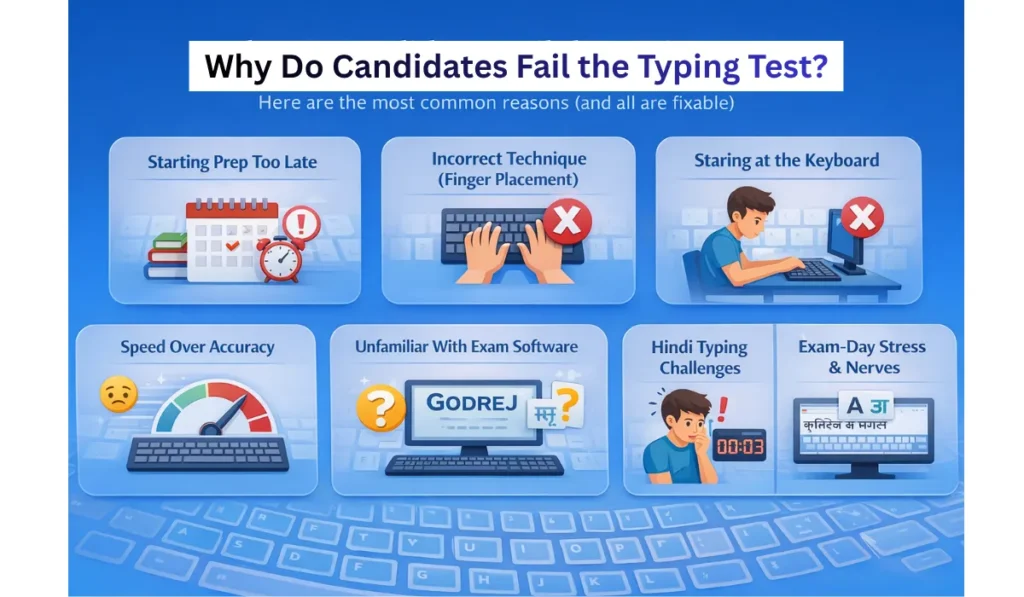
Even smart, hardworking candidates often fail at this stage. Here are the most common reasons — and the good news is, every single one of them is fixable:
- Starting preparation too late — only after clearing the written exam
- Practicing without proper technique (incorrect finger placement)
- Looking at the keyboard while typing instead of touch typing
- Focusing on speed while ignoring accuracy
- Being unfamiliar with the exam software (such as GODREJ or similar platforms)
- Hindi typing aspirants struggling with Mangal or Krutidev fonts
- Exam-day stress and nervousness reducing overall performance
Step-by-Step Preparation Strategy
Step 1 — Learn Touch Typing First
Touch typing means typing without looking at the keyboard. This is the foundation of both speed and accuracy. If you keep glancing at the keys, you will never reach the required WPM consistently.
How to start:
- Place your fingers on the home row — Left hand on F, D, S, A and right hand on J, K, L, ;
- You will feel small bumps on the F and J keys — these are your anchor points
- After pressing any key, always return your fingers to the home row
- Spend the first week practicing home row keys only — do not rush into sentences
Step 2 — Use Free Online Typing Tools
India has a range of excellent free platforms designed specifically for government exam preparation:
| Platform | Best For |
| TypingBaba.com | SSC Hindi and English typing tests |
| Typetest.in | Hindi and English speed building |
| 10FastFingers.com | English speed improvement |
| Ratatype.com | Structured typing lessons for beginners |
| TypingMaster (software) | Offline practice on desktop |
| Inscript Typing Tutor | Hindi Mangal font practice |
Start with basic lessons, then gradually shift to timed tests as your speed and accuracy improve.
Step 3 — Hindi Typing: Mangal vs. Krutidev
This is one of the most confusing areas for aspirants, so understand it clearly before you begin:
| Feature | Mangal Font | Krutidev Font |
| Type | Unicode-based | ASCII-based |
| Used In | SSC exams (Remington GAIL / Inscript) | Many state-level exams |
| Keyboard Layout | Remington GAIL or Inscript | Krutidev-specific layout |
| Best For | Central government exam aspirants | State exam aspirants |
Key advice:
- Always check your exam notification before deciding which font to practice
- If your exam specifies Mangal + Remington GAIL, prepare exclusively in that layout
- If you are a complete beginner, Inscript is easier to learn from scratch
- If your exam requires Remington GAIL, do not mix layouts — stick to one
Step 4 — Build a Daily Practice Routine
Consistency beats intensity every time. Even 45–60 minutes of focused daily practice will outperform a 3-hour weekend session. Here is a simple routine that works:
| Time of Day | Duration | Activity |
| Morning | 15–20 minutes | Warm-up with home row and key drills |
| Afternoon | 20–25 minutes | Full paragraph practice at moderate speed — focus on accuracy |
| Evening | 15–20 minutes | Timed test — try to beat your previous score; identify and practice error-prone keys |
Step 5 — Practice with Actual Exam Passages
SSC and clerk exam passages are typically government-style texts — notices, official letters, administrative reports, and circulars. They contain formal vocabulary, numbers, and punctuation marks that are different from casual typing material.
- Search for SSC CHSL typing test sample passages online and use them daily
- Pay close attention to punctuation, capitalization, and numbers in each passage
- The more familiar you are with this writing style, the more comfortable you will be on exam day
Step 6 — Track Your Progress
Tracking turns practice into measurable improvement. Maintain a simple notebook or spreadsheet with the following:
- Today’s speed (WPM)
- Today’s accuracy (%)
- Most frequently mistyped keys or words
- Weekly average — to spot your improvement trend
Seeing your growth on paper is genuinely motivating and keeps you accountable.
How to Improve Typing Speed Quickly
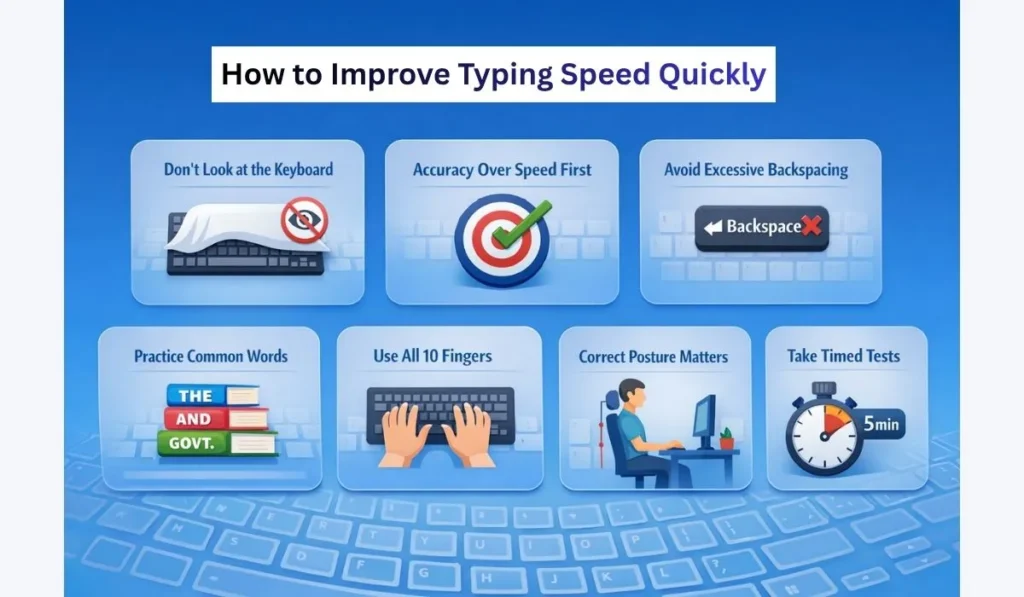
These are the techniques consistently used by top performers in SSC typing tests:
- Never look at the keyboard — Cover it with a cloth if needed. Force yourself to type blind from day one.
- Type slowly with accuracy first — Speed develops naturally as accuracy improves. Rushing leads to more errors, and constant backspacing only slows you down further.
- Eliminate the backspacing habit — Backspacing is allowed in SSC exams, but excessive use kills your effective speed. Train yourself to type correctly the first time.
- Master high-frequency words — Words like “the,” “and,” “government,” “department,” and “therefore” appear repeatedly. Practice them until they become automatic muscle memory.
- Use all 10 fingers — Never type with 2 or 4 fingers. Proper 10-finger typing is essential for reaching and sustaining 35 WPM.
- Fix your posture — Sit straight, keep your wrists relaxed, and position the monitor at eye level. Poor posture causes fatigue and consistently reduces your speed.
- Take regular timed tests — Once you have decent accuracy, shift to daily 5-minute and 10-minute timed tests. This builds the stamina you need to perform well in the actual exam.
Common Mistakes to Avoid
| Mistake | Why It Hurts | What to Do Instead |
| Practicing only for speed | Errors increase and net speed drops | Always target 98%+ accuracy during practice |
| Practicing on a laptop only | Exam centers use full-size desktop keyboards | Practice on a desktop with a standard keyboard |
| Ignoring punctuation and capitalization | Every missed comma or wrong capital counts as an error | Read each passage carefully before typing |
| Starting after the written exam result | Typing test date arrives quickly — there is no time to build from scratch | Start typing practice from Day 1 of preparation |
| Not knowing the exam software | Unfamiliar interfaces slow you down | Download and practice on SSC-compatible platforms beforehand |
8-Week Preparation Plan
| Week | Focus | Daily Target |
| Week 1–2 | Keyboard layout, finger positioning, home row drills | 10 WPM with 95% accuracy |
| Week 3–4 | All letter rows, short timed tests (1 minute) | 20 WPM with 95% accuracy |
| Week 5–6 | Full paragraphs, SSC-style passages | 28–30 WPM with 97% accuracy |
| Week 7–8 | Daily 10-minute timed tests under exam conditions | 35+ WPM (English), 30+ WPM (Hindi) with 97%+ accuracy |
Tips Specifically for Hindi Typing
Hindi typing preparation requires targeted attention to specific challenges:
- Practice vowel signs (matras) separately — incorrect matras are among the most common errors
- Learn conjunct consonants (sanyuktakshar) carefully — these are particularly tricky in Remington GAIL layout
- Practice numbers in Hindi font — this is a frequently overlooked area where many candidates lose marks
- Slow down for complex conjuncts — maintain speed only for simpler, common words
- Print the key mapping chart and keep it visible at your study space until you have memorized it
- Use TypingBaba’s Hindi typing section — it is designed specifically for SSC Hindi typing preparation
Mental Preparation for Exam Day
Nervousness is real, and it directly impacts typing performance. These steps will help you walk in calm and composed:
- Get a full night of sleep before the exam
- Reach the exam center early so you have time to settle in
- In SSC exams, you typically get 5 minutes to read the passage before typing — use this time wisely
- Do not rush in the first 30 seconds — start at your comfortable practice speed
- If you make a mistake, stay calm and keep moving — do not freeze
- Breathe normally, sit in a relaxed position, and remind yourself: you have practiced this hundreds of times
Recommended Resources for Indian Aspirants
Free Resources:
| Resource | Type | Best For |
| TypingBaba.com | Web-based | SSC Hindi and English practice |
| Typetest.in | Web-based | Hindi and English speed tests |
| CDAC Inscript Tutor | Web-based | Hindi Inscript layout practice |
| YouTube (Hindi educators) | Video | Full typing courses with visual guidance |
Paid / Offline Resources:
- TypingMaster Pro — downloadable software for structured offline practice
- Local computer training institutes — available in Tier 2 and Tier 3 cities at affordable rates
- Study cafes in Patna, Allahabad, Jaipur, Lucknow — offer SSC typing mock tests and coaching
| Join Yuva Safar WhatsApp Group for Latest Job Updates | Click Here |
| Join Our Telegram Channel for Daily Government & Private Job Alerts | Click Here |
Frequently Asked Questions (FAQ)
Q1. What is the minimum typing speed required for SSC CHSL? 35 WPM for English and 30 WPM for Hindi.
Q2. Is the SSC typing test qualifying or merit-based? It is purely qualifying. You only need to meet the minimum speed requirement. Marks from the typing test are not added to the merit list.
Q3. How many errors are allowed in the SSC typing test? SSC permits up to a 5% error rate. Errors beyond this threshold can result in disqualification.
Q4. Can I use backspace in the SSC typing test? Yes, backspace is permitted. However, using it frequently wastes valuable time and lowers your effective speed.
Q5. Which font is used in the SSC Hindi typing test? Mangal font with the Remington GAIL keyboard layout is used in SSC exams.
Q6. Is Inscript or Remington GAIL better for beginners? Inscript has a more logical key mapping and is easier for absolute beginners. However, if your specific exam requires Remington GAIL, practice exclusively in that layout.
Q7. How long does it take to reach 35 WPM from scratch? With 45–60 minutes of daily practice, most candidates reach 35 WPM within 6 to 10 weeks.
Q8. Can I prepare for the typing test on a laptop? You can use a laptop for initial practice, but make sure to also train on a full-size desktop keyboard, since exam centers use desktop computers.
Q9. Is there negative marking in the typing test? No negative marking applies. However, errors reduce your effective speed score and can disqualify you if they exceed the 5% limit.
Q10. What if I cannot reach the required speed before the exam date? Shift your focus entirely to accuracy and practice 10-minute long sessions daily. Even 2–3 weeks of intensive, focused practice can bring a significant improvement.
Q11. Do bank clerk exams have a typing test? IBPS Clerk and SBI Clerk do not have a separate typing test, but their Computer Proficiency Test includes word processing tasks that involve typing.
Q12. Can I change my keyboard layout preference at the SSC exam center? No. You must use the layout specified in your admit card or official exam notification. Always confirm this detail in advance.
Final Words
The typing test in SSC and Clerk exams is not the hardest challenge — it is simply the most neglected one. With consistent daily practice, the right technique, and a structured plan, it is absolutely clearable.
Candidates from Bihar, Uttar Pradesh, Rajasthan, Madhya Pradesh, and every other state clear this test every year with 6–8 weeks of focused preparation. You can too.
Start today. Do not wait for your written exam result to begin. Practice every day, track your progress, and walk into the exam hall with confidence. The government job you are working toward is absolutely within your reach.
Best of luck to every aspirant!